Precision SVG editor for laser cutting and engraving
Draw in physical units, apply CAD-style driving dimensions, and export SVG files from a browser workspace built for makers who care about fit, scale, and clean vectors.
SVG export is free and never watermarked, on any tier. A vector watermark can become machine geometry — a laser reads it as a path and cuts it — so cut-ready files never carry one.
Start with a calibration strip
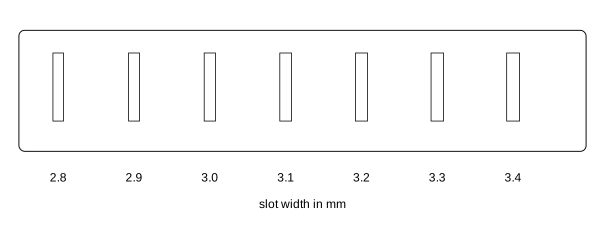
The first maker asset is a simple kerf calibration SVG: seven slots from 2.8mm to 3.4mm in 0.1mm steps, narrowest on the left, for checking real material fit before committing a full box or enclosure. There is no text on the strip, so nothing gets engraved - count from the left to know which slot is which.
Putting text on a part? Convert it to outlines before you cut, so the machine follows the letters you drew rather than a substitute font.
Built around the jobs that ruin cut jobs
The exported SVG carries its real physical size in millimetres or inches. Check it in LightBurn, Glowforge, xTool Creative Space, Cricut Design Space or your plotter software before a full cut: that test is yours to run, and we would rather you ran it.
Driving dimensions in real units
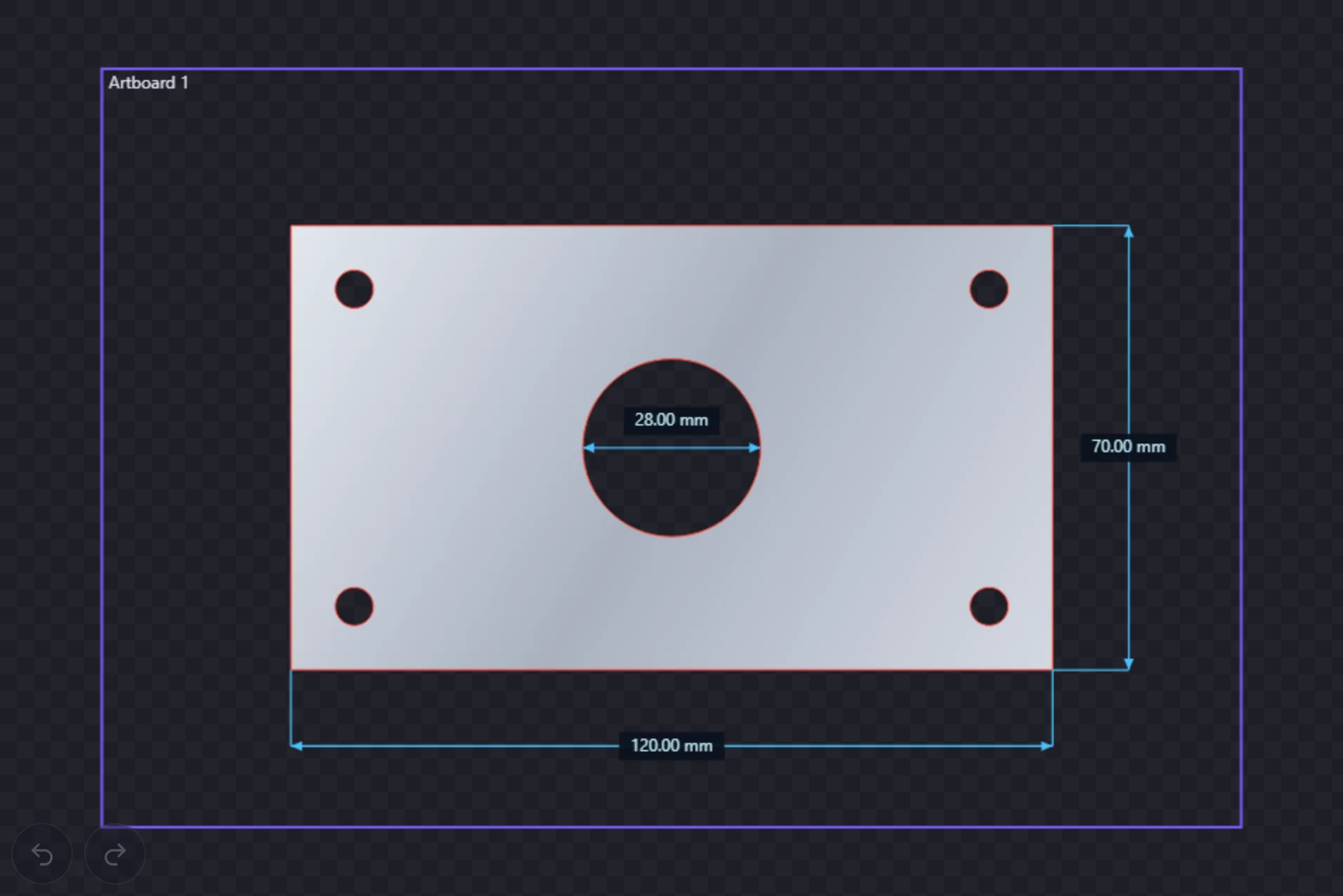
Type values like 3.2mm or 0.125in while sizing slots, holes, and panels. Dimensioned sketches make it easier to adjust a design when the plywood batch is not exactly nominal.
SVG export, never watermarked
Use the browser editor free — SVG export is never watermarked. Pro unlocks high-resolution PNG and true-vector PDF.
Know the output size first
When you export raster output, Anchorsmith shows exact output pixel dimensions before writing the file. No pixel-size guesswork, no export-and-check loop.
SVG is never watermarked, on any tier
Draw in the editor without an account. Exporting needs a free account, and from then on SVG export is unlimited and never watermarked: a watermark in a vector file becomes geometry on the workpiece, so we never put one there. Pro adds PNG and PDF export and unlimited cloud documents.
Anchorsmith for other workflows
2D parametric sketcher for 3D printing
Sketch constrained 2D profiles in a browser tab and export clean paths to extrude in Fusion 360, Blender, or Tinkercad.
Cricut sizing fixwhy your SVG imports at the wrong size in Cricut
The unit-mismatch guide: why a 4-inch box lands at 3 inches in Design Space, and how to export dimensionally accurate files.
Indie game devsvector icon editor for indie game developers
Build 2D UI icons and sprite art as vectors, then export at the exact pixel sizes Unity, Godot, and Unreal expect.